Rain alerts for Android
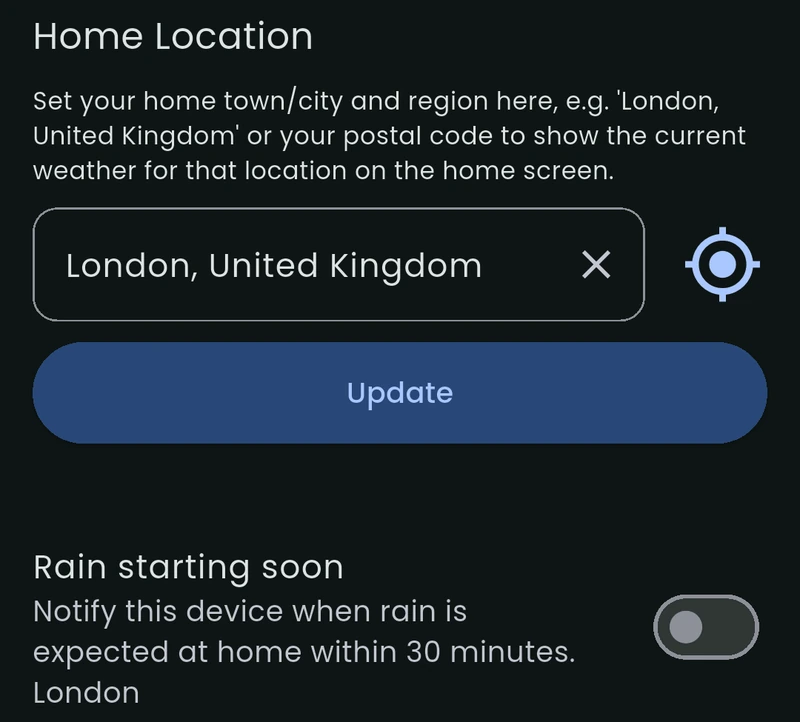
Rain starting soon
Get a notification on this device when rain is expected at your home location within the next 30 minutes.
Turn on rain alerts
This feature is included with a subscription or a free trial.
- Open Settings and choose your town or postcode under Home Location. Tap Update to save a change.
- Switch on Rain starting soon beneath your home location.
- Allow notifications if Android asks. You can turn the alert off using the same switch.
See how to use a rain alert before the school run.
For rain forecasts further ahead, see the custom rain alerts guide.
Download on Google Play