Read the hourly rain map before you leave
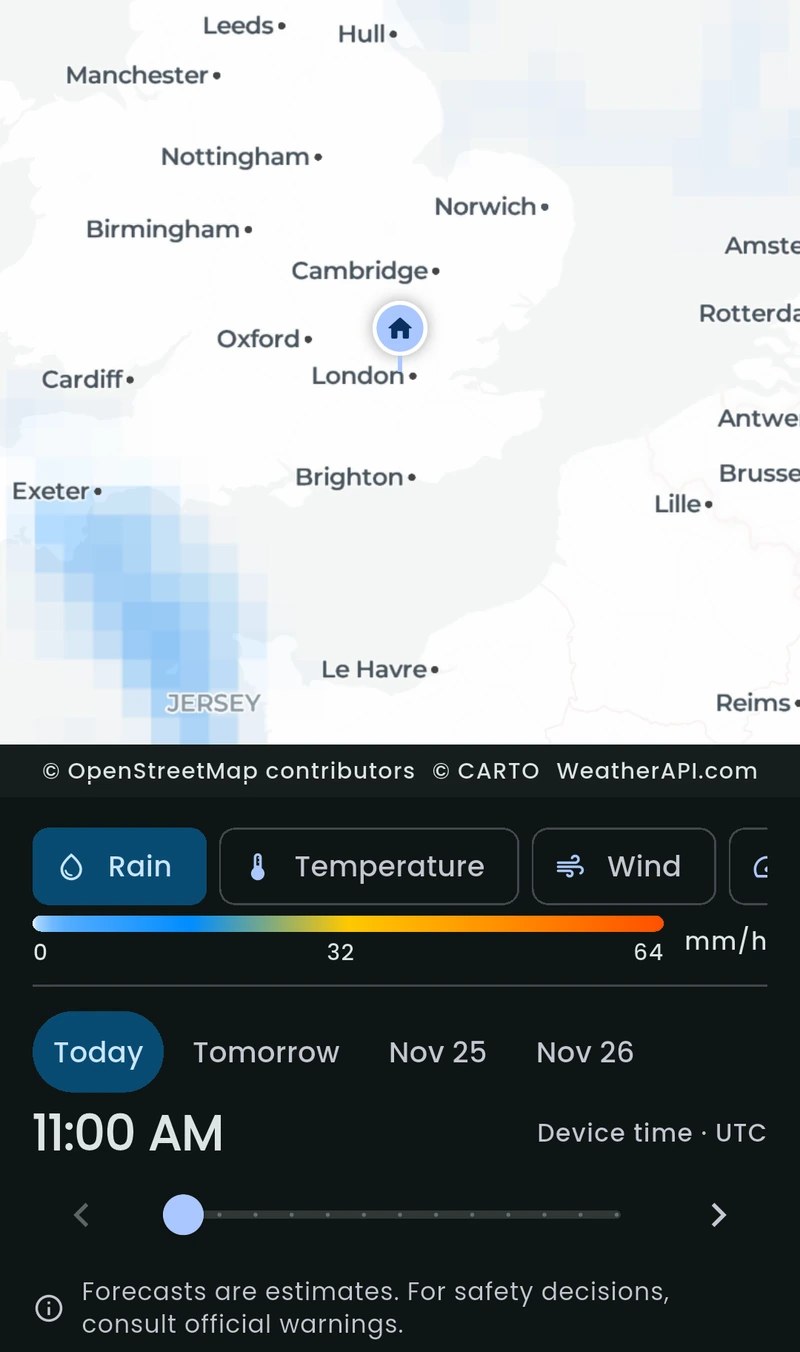
Open Today in Weather Guardian and tap Weather maps. Choose Rain, find the house marking your saved home location and move the slider to the hour you plan to leave. Then check the hour you expect to walk back. A dry outward journey can still end with a wet walk home.
The colours show forecast rainfall intensity in millimetres per hour. In the London screenshot, you can see a patch of rain out in the Channel. Step forward an hour at a time to see where the forecast places that patch next. The times follow your device clock.
The free weather maps cover the next 72 hours. For a weekend football match, try the wind layer as well. A dry but windy touchline can call for a different coat.
Set a rain alert for your home location
If the washing is still on the line while you’re getting ready, opening the map every few minutes is easy to forget. Rain starting soon sends your Android device a notification when rain is expected at your saved home location within the next 30 minutes. It’s included with a subscription or free trial.
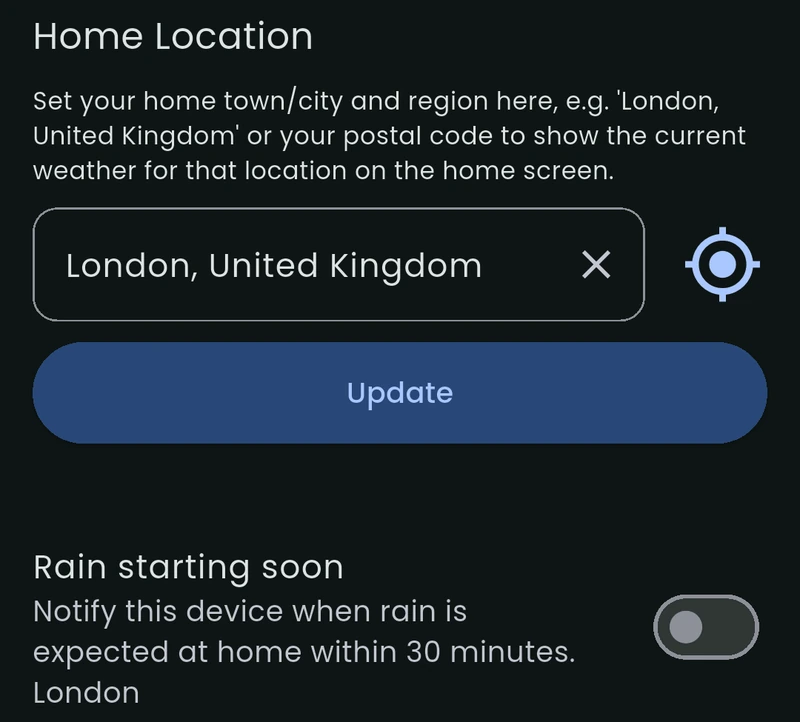
Open Settings, enter your town or postcode under Home Location and tap Update if you’ve changed it. Turn on Rain starting soon and allow notifications if Android asks. If school is several miles away, check the map for that end of the journey too. The rain notification follows your saved home location.
Choose weather notifications for the rest of the week
Think about what would actually change your plans. Perhaps you’ll take the bus if the wind picks up, or bring the plants inside if the overnight temperature drops below 2°C. In Create Alert, choose the condition you care about and set its threshold. The custom weather alerts guide walks through the options.
For a school-day routine, check the forecast graph the night before and set quiet hours for custom notifications around bedtime. In the morning, the hourly map can help with the smaller decision of when to leave. You can find Weather Guardian for Android on Google Play.